


What Is Content Decay? How to Identify and Fix Declining Content
 Posted by
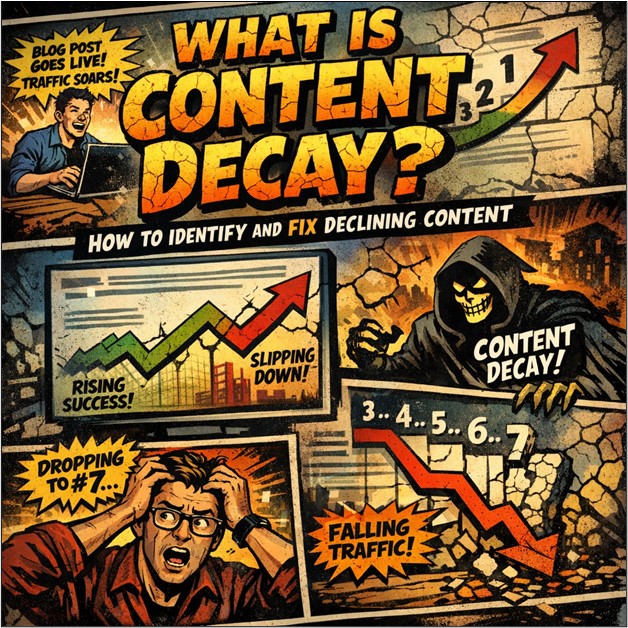
A blog post goes live. It climbs the rankings, traffic rolls in, leads follow, and everyone’s happy. Then it slows down. Not dramatically at first, but just a small slide from position three to seven. This slow fade has a name—content decay.
So What Is Content Decay?
Content decay is when a page that used to perform well gradually loses traffic, rankings, engagement, or conversions. This is not because it’s broken or suddenly became terrible. Because the world moved on.
Search behavior shifts and competitors publish stronger content. Algorithms have also changed. New features, such as AI summaries and zero-click answers, change how people interact with search results. So your once-golden article starts slipping.
Here’s the thing most people miss—content decay isn’t just about age. A post from 2019 can still crush it if it’s updated and aligned with what users want. Decay is usually about declining user interest.
Why Does User Interest Fade?
Think about how search interest in “digital cameras” dropped when smartphones took over. People didn’t stop taking photos. They just stopped searching for that solution.
The same thing happens with content.
Maybe a topic becomes less relevant. Maybe it becomes more advanced and your post feels surface-level. Maybe competitors publish deeper guides with fresher data and better formatting.
Or maybe Google starts answering the query directly in search results, cutting your clicks in half.
Sometimes it’s seasonal. Summer skincare tips won’t get much love in December. Sometimes it’s algorithm updates reshuffling priorities. Sometimes it’s content cannibalization—two of your own pages fighting for the same keyword.
Read: Can AI Generated Content Hurt SEO?
How to Spot Content Decay Before It Hurts
The tricky part is that decay doesn’t usually announce itself. One month looks normal. The next month looks slightly worse. Then you realize traffic has been trending down for six months.
Start with metrics. Organic traffic declining steadily? Average rankings slipping from page one to page two? Bounce rate creeping up? Conversions dropping?
Those are signals.
Then look at the content itself. Are there outdated stats? Old screenshots? Tools that don’t exist anymore? A “Top Trends for 2020” headline that somehow survived into 2025?
That will do it.
Competitive research helps too. If competitors now offer 2,500-word guides with video walkthroughs and detailed examples—and your post is 800 words with no visuals—there’s your gap.
Don’t forget internal overlap. If two pages target the same keyword, Google may split authority between them. Nobody wins.
Tools That Make This Easier
Trying to track this manually?
Painfu!
Google Search Console is a solid starting point. Filter by page. Look at performance over the last six to twelve months. Watch the “Average position” column. A steady drop tells a story.
Platforms like Ubersuggest or SEMrush take it further.
Keyword tracking.
Traffic trends.
Cannibalization reports. It even alerts when rankings dip. The goal isn’t obsessing over daily fluctuations. It’s spotting consistent downward patterns early, before your page disappears entirely.
Early detection makes recovery easier.
How to Fix Content Decay (Without Starting From Scratch)
Here’s the encouraging part—decayed content has already proved it can rank. That’s an advantage.
You’re not building from zero. You’re renovating.
- Quick Wins First
Add a relevant video to boost engagement. Insert a table of contents to improve usability. Implement FAQ schema to increase visibility in rich results. Small changes can revive performance surprisingly fast.
- Then Deeper Updates
Refresh statistics, update examples, improve internal linking, tighten the introduction, and expand thin sections to make the content more relevant and match the current search intent more precisely. If user expectations shifted toward comprehensive coverage, expand the post. Turn that 1000-word article into a full guide.
Sometimes the opposite works. Prune outdated sections. Remove fluff. Keep what’s strong. If two pages compete for the same keyword?
Consolidate them.
One strong page beats two mediocre ones every time.
Also, don’t forget re-promotion. Share the refreshed content in newsletters. Link to it from newer posts. Visibility signals matter.
Why Does Fixing Beat Rewriting?
Creating brand-new content feels productive with a fresh doc, fresh ideas, and a clean slate. But updating a declining page often delivers better ROI.
It already has backlinks, authority, search history, and a performance track record. It just needs alignment with today’s reality.
Conclusion
Content decay isn’t failure—it’s maintenance. Monitor early, refresh strategically, and realign with shifting user intent. With smart updates instead of rewrites, fading content can regain rankings, traffic, and real momentum.