


How to Integrate Google PMax Campaigns into Your E-Commerce Business
 Posted by
Google PMax is a powerful tool that allows you to optimize your online advertising campaigns based on your business goals. Despite being a newer addition, the PMax campaign has been used to achieve stellar results and showcase the best products from one’s business. You will need this whether you want to increase sales, generate leads, or build brand awareness, because an expertly implemented Google PMax can help you achieve your objectives. But what’s even better is that it requires minimal effort and maximum results.
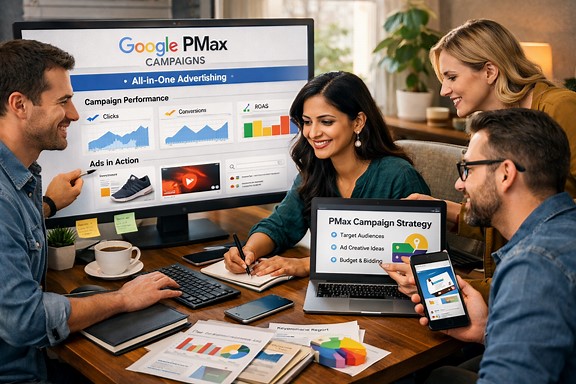
But how do you integrate Google PMax into your e-commerce business? Here are five ways to get started with it:
- Set up a Google Merchant Center account.
The Google Merchant Center is where you upload and manage your product data, which includes images, prices, descriptions, and availability. You can link your Google Analytics and Google Ads accounts to track your performance and optimize your campaigns in this section.
- Create a product feed.
When we say product feed, it basically means a file containing all the information needed about your products that you want to advertise on Google. You can create a product feed manually, use a third-party tool, or use the Content API for Shopping to automatically update your feed with changes in your inventory.
- Choose your campaign type.
Depending on your goals, you can choose between two types of campaigns: Smart Shopping campaigns and Standard Shopping campaigns. Smart Shopping campaigns use machine learning to automatically optimize your bids, placements, and creative across Google’s networks. Standard Shopping campaigns give you more control over your settings and allow you to target specific audiences and keywords.
- Set up your campaign settings.
Once you choose your campaign type, you need to configure some basic settings, such as your budget, location, language, and bidding strategy. You can also set up ad groups and product groups to organize your products by categories, brands, or attributes.
- Monitor and optimize your campaign’s performance.
After launching your campaign, you can use the Google Ads dashboard and reports to track your metrics, such as impressions, clicks, conversions, and return on ad spend (ROAS). You can also use the recommendations and experiments features to test different variations of your ads and settings and find the best ones for your business.
Need for Professionals
The following clearly describes why there is a need for professionals to handle PMax campaigns:
- Google PMax uses a high level of automation that only professionals understand accurately.
- Only an experienced PPC specialist is capable of supplementing the support you need to maximize your Google PMax campaign’s impact.
- Since it allows one to access a lot of ads running concurrently, it is easy to lose track of something. But when a specialist handles the central location of the PMax campaign, there is no way of overlooking it.
- Even if you have complete knowledge regarding Google PMax campaigns for your requirements, one is not capable of optimizing them all by themselves.
Bottom line
An experienced PPC specialist is needed to make the most of your Google PMax campaign; otherwise, you won’t see much difference.